Repository navigation
Colorized keymap zones #5931

Replies: 3 comments

|
This won't really work because of themes. We cant have set colors that don't change with themes because they might blend it or become straight up invisible on some themes. |

|
@Miodec It’s possible to create a basic colored-keymap style where the letters remain visible on any theme, and then allow theme creators to update their themes with new colors that override it. Here's an example I tested on 15 different themes—ranging from very dark to very light or with saturated background colors. Of course, this kind of "basic" color style wouldn’t be the most beautiful, but it works. If theme creators want to, they can adjust the colors to better fit their theme. Anyway, it would likely be a disabled feature by default.
|


|
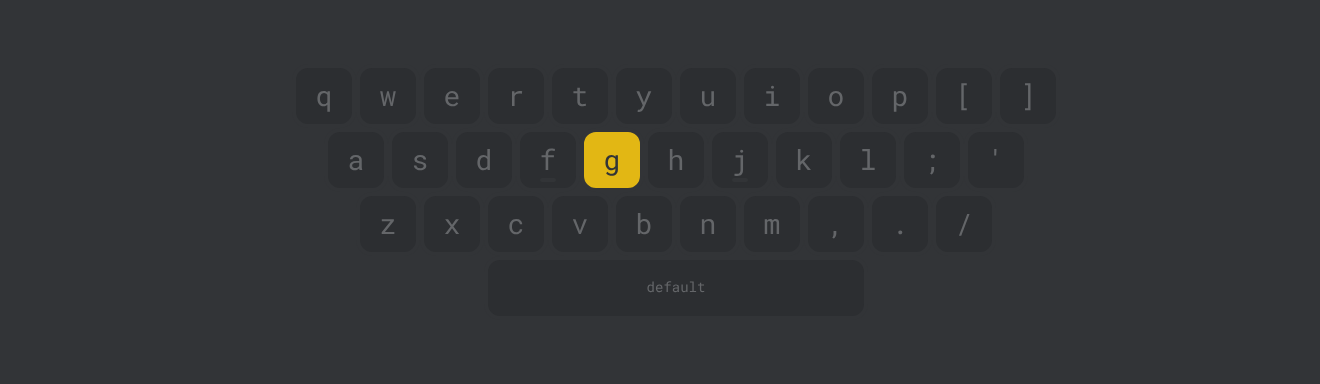
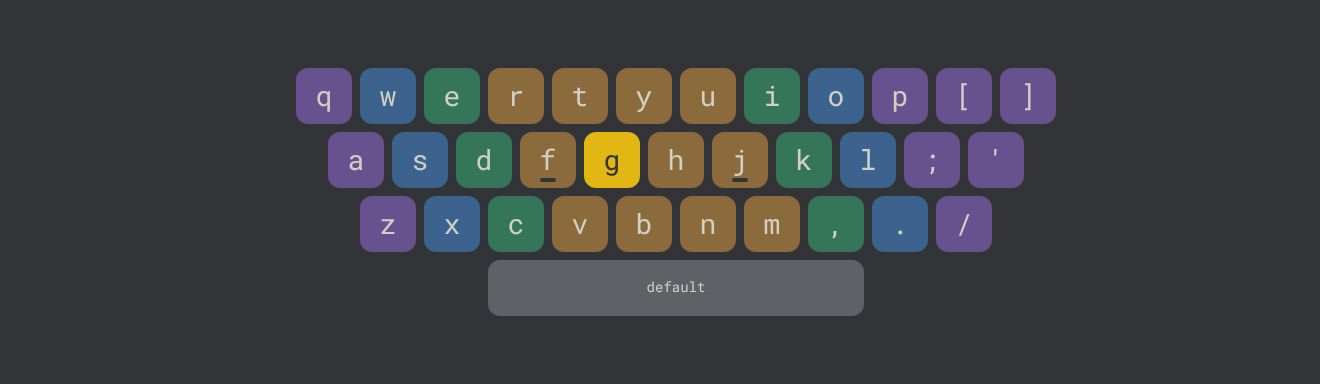
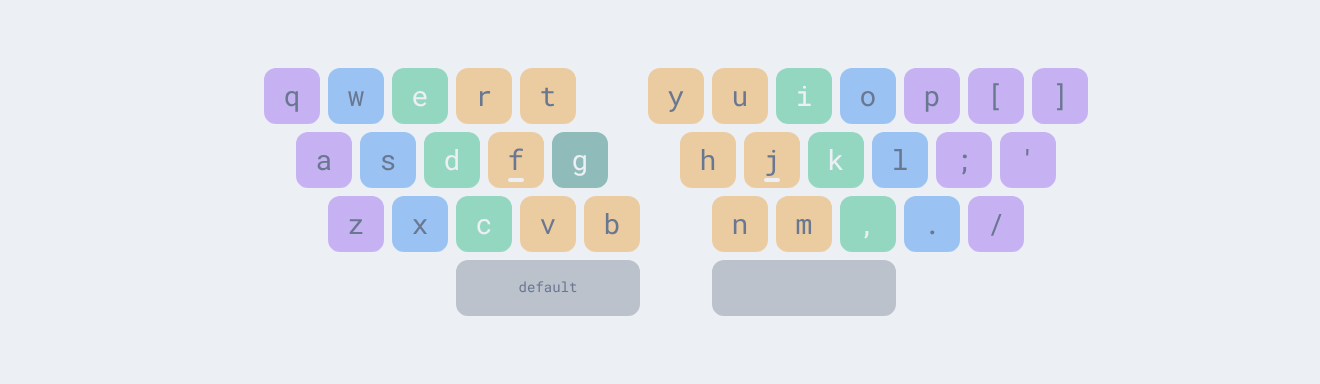
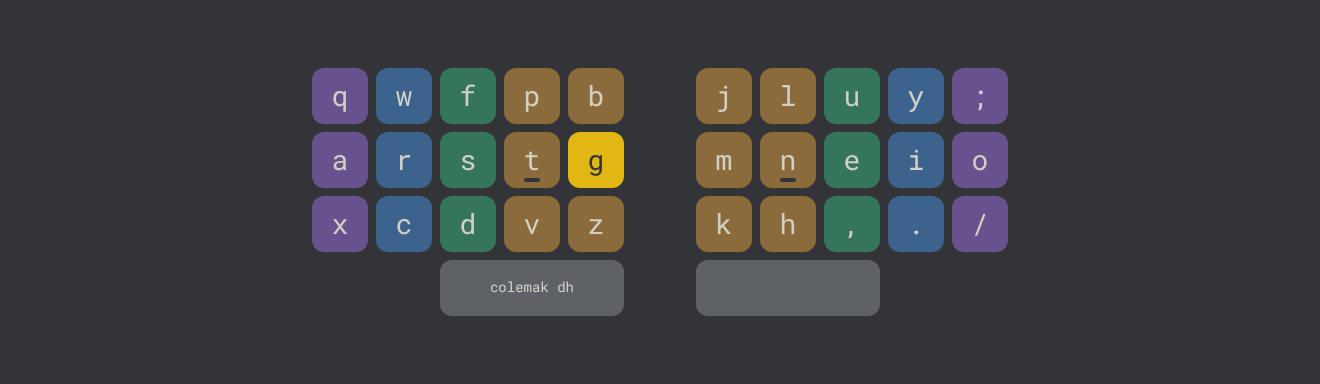
I built a working version of this, and I tried to solve the theme problem @Miodec raised. Instead of fixed colors, each finger hue is blended into the theme's own sub-alt color, so the keys always sit in the theme's palette. The key label then uses whichever theme color (text, bg or sub) contrasts most with the tinted key. I checked it on dark themes (serika dark, default) and light ones (nord light), and the labels stay readable.
Before / after (staggered)
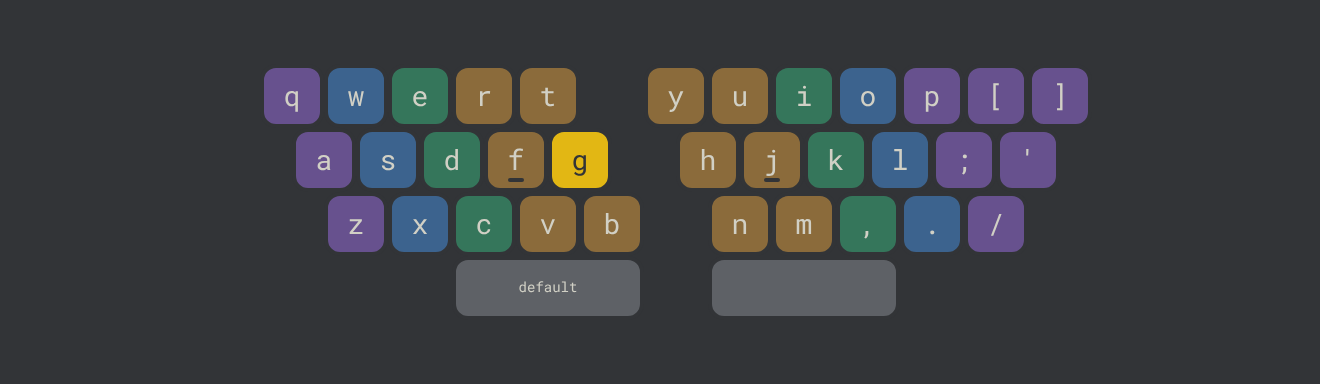
Split, light theme (nord light), and Colemak-DH on split matrix
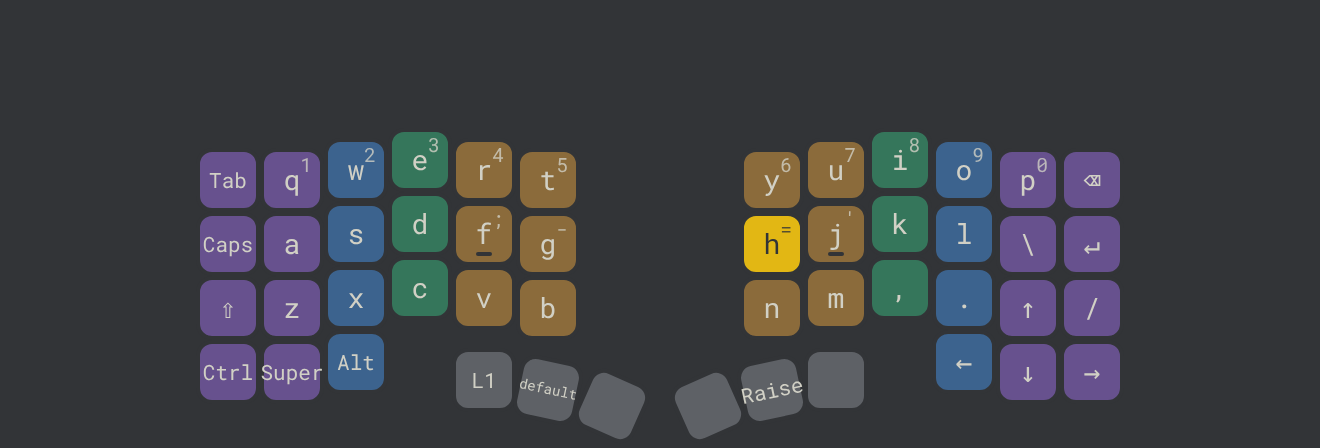
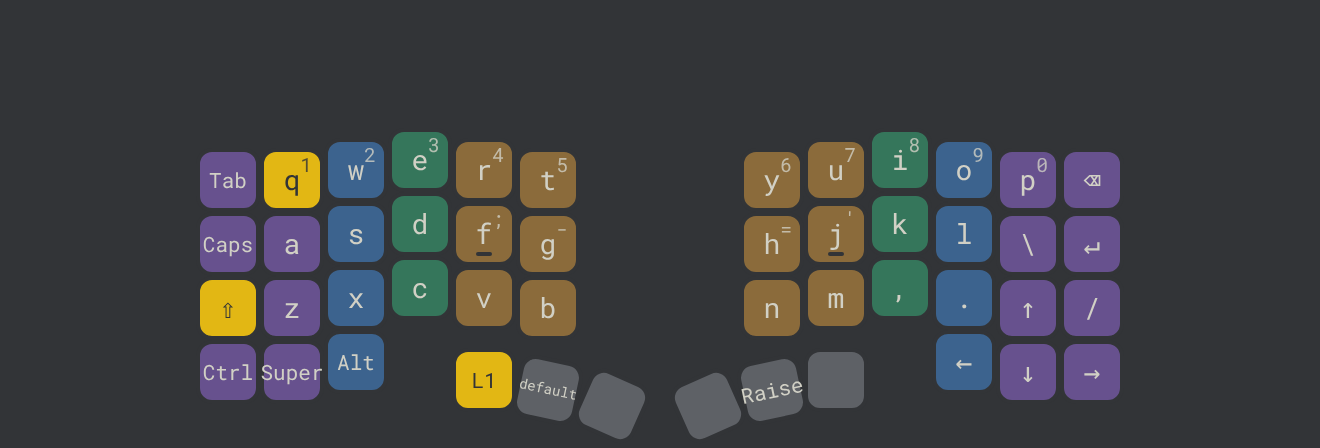
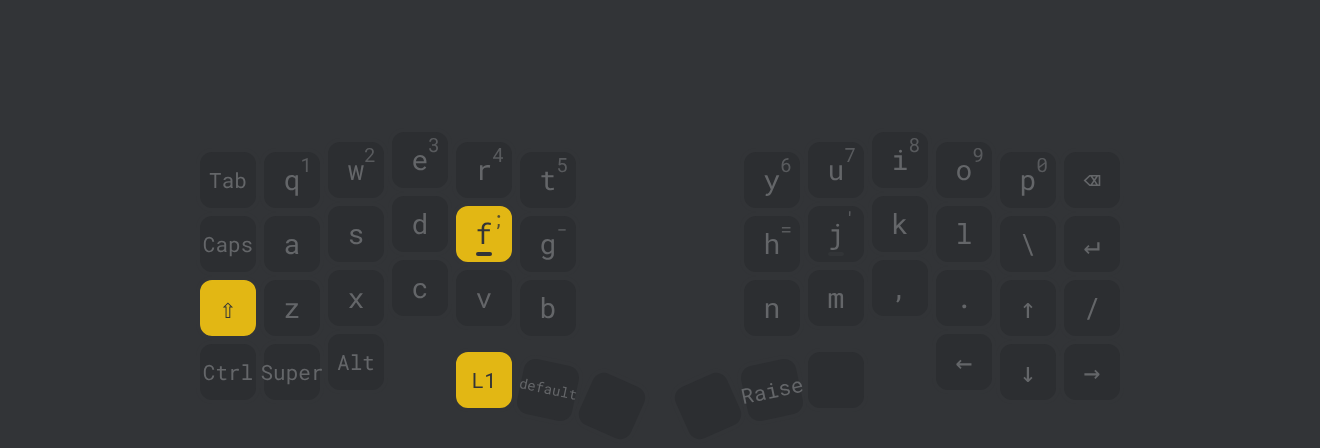
Branch with tests: https://github.com/SantiMerino/monkeytype/tree/feat/keymap-finger-zones Bonus: split keyboards with layers (Cornix LP) I type on a Cornix LP (a 3x6 column-staggered split with thumb clusters), so I also tried a
Branch: https://github.com/SantiMerino/monkeytype/tree/feat/keymap-cornix-style Combo highlighting only applies to keys a style tags as shift or layer keys, so nothing changes on the existing styles. I'd keep this separate from finger zones, but I'm curious whether 40% / layered boards are something you'd want to support. Would a PR for finger zones be welcome? I'm happy to change the colors or blend strength, or to let themes override the hues. |


Uh oh!
There was an error while loading. Please reload this page.
I wonder why the most popular touch-typing tool doesn't have any kind of keymap color guides, which are a must-have for beginners or near-beginners.
I've created a simple userscript for myself that generates CSS to color and highlight the keymap in one of three styles of your choice (here's the link).
Check out how it looks in these videos:
chrome_2024-09-30--00-13-11--846.mp4
chrome_2024-09-30--00-12-25--044.mp4
chrome_2024-09-30--00-20-29--919.mp4
I’d love to see this implemented as a standard feature.
A couple of notes:
If my version is used, half the credit should go to the author of that style, as they saved me the time I would have spent matching class names with fingers.
All reactions